

Every business in the UK runs on data, but all too often, the hardware it's stored on is the weak link in the chain. The biggest advantages of a Solid State Drive (SSD) come down to three things: raw speed, rock-solid reliability, and impressive efficiency, especially when compared to older hard drives. Making this one change can genuinely transform your day-to-day operations, getting rid of those frustrating loading bars and keeping your crucial business data safe.
Why Your Old Hard Drive Is Holding Your Business Back

Think of your business data as being filed away in a massive warehouse. With a traditional Hard Disk Drive (HDD), your computer has to send a little robot out to physically find the right box on the right shelf and bring it back. It’s a mechanical process, full of whirring parts, and it’s slow. Things get even worse when you ask for several boxes at once.
A Solid State Drive (SSD), on the other hand, is like having a digital catalogue of that entire warehouse. There are no moving parts at all. When you need a file, the data is found and accessed electronically, almost instantly. This single difference is why switching to an SSD is one of the most powerful IT decisions a business can make.
The Real-World Impact of Slow Storage
This isn’t just about waiting an extra few seconds for a file to open. A slow drive sends a ripple effect through your entire organisation, causing very real problems:
- Lost Productivity: Your team ends up wasting valuable time watching loading screens, waiting for reports to run, or just for their computers to start up in the morning.
- Poor Customer Experience: If your servers are struggling, your website or customer portal will be sluggish too. That lag can be enough to send frustrated clients straight to your competitors.
- Higher IT Costs: Ageing HDDs have a much higher failure rate. When one goes, you’re looking at expensive data recovery attempts and costly downtime for the business.
Moving your servers over to SSDs can slash boot times to a fraction of what they were. We've seen UK IT studies show an average 75% reduction in system startup—what took over 60 seconds on an HDD can take under 15 seconds on an SSD. For small businesses, that means your team gets into critical applications right away, boosting productivity from the start of the day.
From Bottleneck to Opportunity
Upgrading your storage isn't just about fixing a technical problem; it's a smart business move. When you can get to your data faster, you can make decisions faster. Your workflows become smoother, and your whole infrastructure becomes more resilient.
This is especially important when you’re weighing up your on-premise hardware against cloud solutions. To get a better handle on your options, take a look at our guide comparing cloud storage vs local storage.
At HGC IT Solutions, we specialise in helping UK businesses make this essential technology shift. We believe your IT infrastructure should be a powerful asset, not an anchor holding you back.
Experience Unmatched Speed and Responsiveness

The single biggest change you'll notice with an SSD is the incredible leap in raw performance. For a business, this isn't just a nice-to-have feature; it's a genuine competitive advantage that you can see and feel in your daily operations.
Traditional hard drives are mechanical, with a physical arm that has to find data on a spinning platter. SSDs, on the other hand, access data electronically using flash memory. This completely removes the physical bottlenecks that cause those frustrating lags and loading screens.
What does this mean for your team? Systems that boot up in seconds. Applications that launch the moment you click them. Huge files that open without a single stutter. The difference truly is night and day, turning slow, clunky tasks into smooth, efficient actions. Every moment your team isn't staring at a progress bar is a moment they can spend on productive, revenue-generating work.
From Tech Specs to Business Wins
When you start looking at SSDs, you’ll run into technical terms like IOPS and throughput. It’s easy to get bogged down in the jargon, but what really matters is what these numbers mean for your business.
Let’s use a couple of simple analogies:
- Think of IOPS as your customer capacity. Imagine your website is running a big sale. IOPS (Input/Output Operations Per Second) is like the number of customer requests your server can handle at once. An old HDD might choke after a few hundred, causing your site to crash and lose you sales. A modern SSD can handle thousands, ensuring a smooth experience for everyone, even during a massive traffic spike.
- Think of throughput as your data motorway. Throughput is simply how much data you can move in a certain amount of time. An HDD is like a single-lane country road, easily congested. An SSD is a multi-lane motorway, allowing huge volumes of data to flow freely without traffic jams.
This isn’t just about servers, either. For your finance team, it means running complex spreadsheet calculations in seconds, not minutes. For your creative team, it means opening and saving massive design files without those workflow-killing delays that stifle great ideas.
Real-World Speed Gains
Let’s look at how this translates into tangible results. The following table breaks down the raw numbers, giving you a clear picture of just how far ahead SSDs really are.
HDD vs SSD A Clear Performance Comparison
| Performance Metric | Traditional HDD | Modern SSD | Impact on Your Business |
|---|---|---|---|
| Boot-up Time | 30-60+ seconds | 5-15 seconds | Less time wasted waiting, more time working from the start of the day. |
| Data Access Speed | 100-200 MB/s | 500-3500+ MB/s | Near-instant file access and application loading; massive productivity boost. |
| Database Queries | Can take minutes | Reduced to seconds | Faster reporting, quicker customer data retrieval, and sharper decision-making. |
| IOPS (Random R/W) | 50-200 IOPS | 50,000-500,000+ IOPS | Ability to handle many simultaneous tasks, from web traffic to internal operations. |
The numbers don't lie. Upgrading to an SSD is one of the most cost-effective ways to get more out of your hardware and, more importantly, your people.
In fact, a Midlands-based manufacturer we worked with reported a 28% productivity hike after upgrading, allowing them to process 15,000 more orders every month. Another retail client saw their inventory check times drop from five minutes to just 30 seconds. That's the kind of impact that directly affects your bottom line.
This boost in responsiveness creates a more agile and proactive business environment. When data is immediately accessible, decision-making is faster, customer service is sharper, and your entire operation runs with far less friction.
And this speed isn't just for your internal systems. The same principles apply to your online presence, as you can see in this guide explaining how your hosting service affects website speed.
Ultimately, investing in SSD technology is investing in productivity. It’s a bit like the jump from older, slower connection standards to new ones, a topic we cover in our guide to USB 2.0 vs USB 3.0. At HGC IT Solutions, we help UK businesses make this transition smoothly, ensuring your systems are optimised to give you the maximum competitive edge.
Boost Reliability and Protect Your Business Data

For any business, downtime isn't just an inconvenience; it's lost revenue and a knock to your reputation. One of the most compelling arguments for SSDs is the dramatic leap in reliability they offer, which is absolutely vital for business continuity and protecting your data.
Think about the difference between a modern smartwatch and an old-school mechanical one. A classic wristwatch is a beautiful piece of engineering, full of tiny, delicate gears and springs. But a single hard knock can bring the whole thing to a grinding halt. That’s your traditional hard disk drive (HDD)—a device full of spinning platters and moving heads, making it incredibly vulnerable to physical shock.
Now, picture the smartwatch. It has no moving parts. It’s built on solid-state electronics, making it far more resilient to the bumps and scrapes of daily life. This is your SSD. Its solid-state design means it can handle shocks, vibrations, and accidental drops much better than an HDD, making it a far safer home for your critical business files.
Built to Last in Any Environment
This built-in durability is a game-changer for any device that gets moved around. Employee laptops, tablets on a factory floor, or mobile workstations are constantly being jostled. An HDD in these situations is a failure just waiting to happen, but an SSD delivers the robust performance needed to keep your team productive and your data safe, no matter where they're working.
This resilience isn't just about surviving accidents. The lack of moving parts also means SSDs are simply less prone to mechanical wear and tear over time. This leads to a longer, more predictable service life for your hardware.
SSDs are engineered for durability. They can typically withstand up to 1,500 Gs of shock, whereas an operating HDD might fail after just 30-70 Gs. This makes SSDs the obvious choice for any mobile computing device in a business setting.
That physical strength translates directly into better data integrity. A drive that can better handle the physical world is a drive you can trust more with your company's most valuable asset: its information.
Understanding Mean Time Between Failures
In the world of IT hardware, we often measure reliability with a metric called Mean Time Between Failures (MTBF). It sounds a bit technical, but the idea is simple: it’s the average time a device is expected to run before it fails. A higher MTBF means the hardware is more dependable.
When you look at the numbers, SSDs consistently outperform their HDD cousins.
- Typical HDD MTBF: Around 1 million to 1.5 million hours.
- Typical SSD MTBF: Often exceeds 2 million hours, with enterprise-grade models reaching even higher.
That difference of hundreds of thousands of hours has a real impact on your business. A longer lifespan means you spend less time and money replacing failed hardware. More importantly, it drastically cuts the risk of those sudden service interruptions that can stop your business in its tracks. When you rely on technology to serve customers and run operations, that peace of mind is invaluable.
The reliability of SSDs is a cornerstone of any resilient IT strategy. Of course, hardware is only one piece of the puzzle. For total data protection, it’s vital to pair reliable drives with a solid recovery plan. You can learn more about how to safeguard your information in our guide to cloud backup solutions for business. At HGC IT, we help businesses build systems that aren't just fast, but fundamentally dependable from the ground up.
Lower Your Total Cost of Ownership
It’s easy to look at the initial price tag of an SSD and compare it to a traditional hard drive (HDD), but that’s only half the story. The real financial picture emerges when you consider the Total Cost of Ownership (TCO) – the true, long-term cost of running that piece of hardware. This includes everything from the day you buy it to the day you replace it, and all the running costs in between.
When you crunch the numbers, you'll find that an investment in SSDs almost always pays for itself, and often much faster than you’d think. It's about shifting your mindset from a simple purchase to a strategic investment in a more efficient and sustainable foundation for your business's IT.
Over the lifetime of the hardware, the savings an SSD delivers in other areas can easily eclipse the initial price difference, leading to a much healthier bottom line.
Slashing Your Energy Bills
One of the most immediate and tangible savings you'll see is on your electricity bill. Because SSDs have no moving parts, they use a fraction of the power required by the spinning platters and mechanical arms inside an HDD. While this might seem like a small saving on a single computer, multiply it across every workstation in your office, and the impact quickly adds up.
For businesses that run their own servers, the effect is even more dramatic. A server rack packed with power-hungry HDDs can be a serious drain on your resources. Making the switch to energy-efficient SSDs can cut the power consumption of your server infrastructure by up to 80%. Given the high cost of energy in the UK, this is a direct and powerful way to reduce your operational expenses.
An SSD's solid-state design means it can run on just 2-5 watts of power, a stark contrast to a traditional HDD which needs 6-15 watts. This isn't just about saving money; it’s about building a more sustainable and environmentally conscious IT strategy.
Reducing Your Cooling Costs
Lower power consumption has a welcome knock-on effect: less heat. Anyone who’s ever stood in a server room knows that keeping racks of equipment cool is a constant battle and a major expense.
HDDs generate a surprising amount of heat, forcing your air conditioning systems to work overtime to maintain a safe operating temperature. By swapping them for cooler-running SSDs, you reduce the overall thermal load in the room. This means your cooling systems don't have to work as hard, which translates into another layer of direct savings on your energy bills. It’s a fantastic domino effect of efficiency that all starts with one simple hardware choice.
Minimising Maintenance and Replacement
We've already touched on how much more reliable SSDs are than their mechanical counterparts. Their superior durability and longer lifespan (often measured as Mean Time Between Failures or MTBF) translate directly into financial savings.
You’ll simply spend less money buying replacement drives over the years. But the real value is in avoiding the hidden costs that come with drive failure:
- Less Downtime: Every hour your systems are down is an hour of lost productivity, missed opportunities, and potential damage to your reputation.
- Lower Labour Costs: You won’t be calling on your IT staff or an external provider like HGC IT Solutions for emergency repairs and stressful data recovery jobs nearly as often.
- Protecting Your Data: The best way to protect your invaluable business data from being lost is to prevent the drive failure from happening in the first place.
When you add up the savings from power, cooling, and reduced maintenance, the financial case for SSDs is crystal clear. They aren't just a performance boost; they are a savvy, long-term financial decision that lowers your Total Cost of Ownership and delivers a fantastic return on investment.
Choosing the Right SSD for Your Business Needs
Picking the right SSD is key to getting all the benefits without overspending. Not all solid-state drives are the same, and if you make an informed choice, you can be sure your investment lines up perfectly with your business goals, day-to-day work, and budget.
Navigating the options doesn't have to be a headache. For most businesses, the choice boils down to two main types: SATA and NVMe. They connect to your systems in different ways, and understanding that basic difference is the first step toward a smart hardware decision.
SATA vs NVMe: The A-Road and the Motorway
The easiest way to get your head around the difference is with a simple analogy. Think of a SATA SSD as a reliable local A-road. It’s efficient, it gets you where you need to go, and it's a huge step up from the old, winding country lanes of a traditional hard drive. It's perfect for most everyday business traffic.
An NVMe SSD, on the other hand, is a multi-lane, high-speed motorway. It's built for heavy, fast-moving traffic and can handle an enormous volume of data without breaking a sweat. It offers a level of performance that goes way beyond what a standard A-road can provide.
While the A-road is great for the daily commute, the motorway is essential for urgent, large-scale transport.
This decision tree shows how an initial investment in the right technology, even if the price tag seems higher, can lead to a lower total cost of ownership through better efficiency and power savings down the line.

The key takeaway here is that focusing only on the purchase price misses the bigger picture of long-term operational savings.
SATA vs NVMe: Which SSD Is Right For You?
So, how do you decide which technology is the right fit? It really comes down to what you'll be using it for. This table breaks down the key differences to help you match the drive to the job.
| Feature | SATA SSD | NVMe SSD | Best For Your Business If… |
|---|---|---|---|
| Performance | Fast (up to 600 MB/s) | Extremely Fast (3,500+ MB/s) | You run demanding applications like video editing, large databases, or high-traffic servers (NVMe), or need a solid boost for general office work (SATA). |
| Connection | Uses the older SATA interface | Connects directly to the motherboard via PCIe | Your systems are a bit older and need a simple, compatible upgrade (SATA), or you have modern hardware and want to unleash its full potential (NVMe). |
| Price Point | More affordable | Higher initial cost | You are on a tight budget or need to upgrade many machines at once (SATA), or performance is critical and directly impacts revenue (NVMe). |
| Use Cases | Office PCs, laptops, older server upgrades | High-performance workstations, servers, creative workloads | Your team's work is mostly email, documents, and web browsing (SATA), or you need to eliminate data bottlenecks for developers, designers, or analysts (NVMe). |
Ultimately, choosing the right SSD is about optimising for your specific workflow. A marketing agency editing 4K video has vastly different needs from an accounting firm running payroll software. The goal is to pay for the performance you actually need.
Matching the Drive to the Job
The right choice really does depend entirely on the task at hand. There's no sense in building a motorway for a small village, just as you wouldn't rely on a quiet A-road for mission-critical logistics.
Here’s a practical breakdown of where each type truly shines:
-
SATA SSDs are ideal for:
- General Office Workstations: For tasks like email, web browsing, and office applications, a SATA drive provides a massive speed boost over an HDD at a very cost-effective price.
- Laptops for Mobile Staff: The combination of affordability, speed, and durability makes SATA SSDs a perfect upgrade for employees on the go.
- Older System Upgrades: They are a fantastic way to breathe new life into slightly older desktops or servers without a complete system overhaul.
-
NVMe SSDs are the best choice for:
- High-Performance Servers: Essential for hosting busy websites, running virtual machines, or managing complex business applications where every millisecond counts.
- Large Database Management: If your business relies on fast data queries and reporting, the superior speed of an NVMe drive is a necessity.
- Creative and Technical Workstations: For professionals in video editing, 3D rendering, or large-scale data analysis, NVMe drives eliminate frustrating bottlenecks.
While these two types cover most situations, it’s worth noting that other interfaces exist. For a deeper technical dive, our guide on https://hgcit.co.uk/blog/sata-vs-sas/ is a great place to start.
Making an Informed Decision
Ultimately, the choice between SATA and NVMe comes down to balancing your performance requirements with your budget. As you weigh up the options for your business, it can be helpful to explore top data storage solutions to see how different technologies are being used across various industries.
At HGC IT, we help businesses analyse their workloads to make this exact decision. We make sure your hardware investment delivers the maximum return, providing the speed you need for demanding tasks while keeping costs in check across your entire organisation. This strategic approach ensures your IT infrastructure becomes a powerful asset, perfectly tuned to what you do.
How to Make a Seamless Transition to SSDs
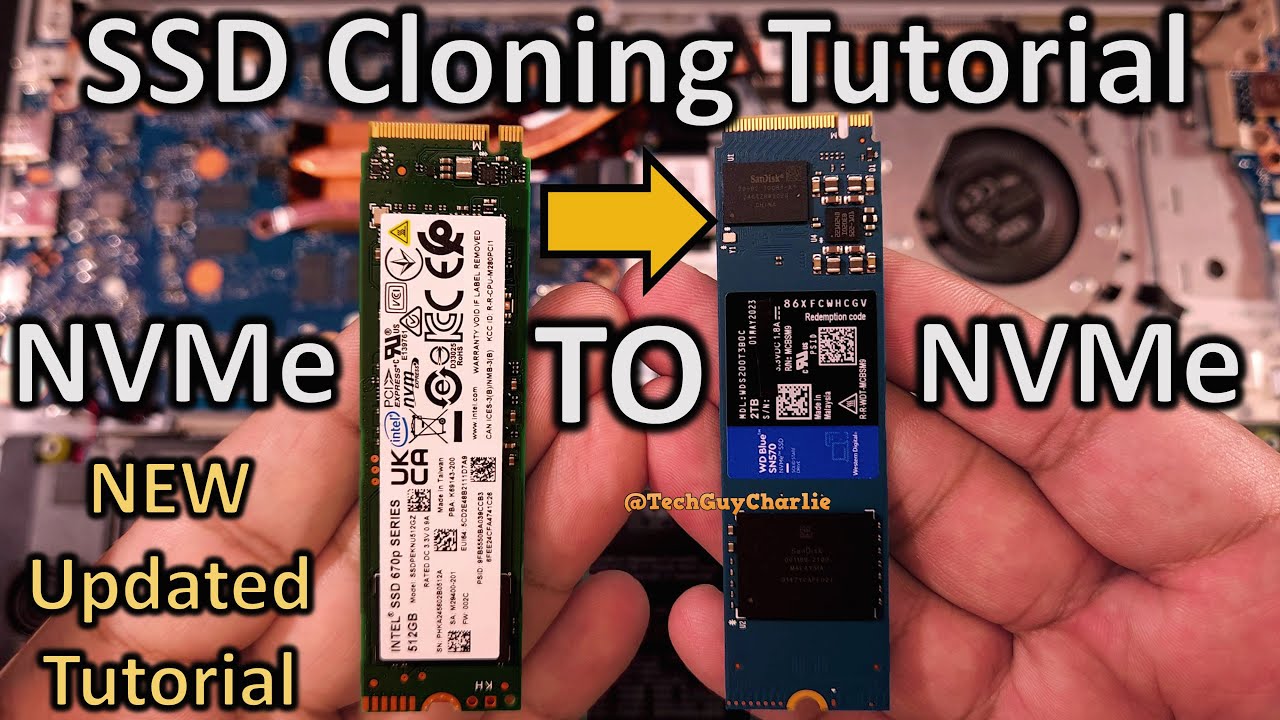
The thought of a big hardware change can be intimidating. But moving from old, slow hard drives to modern SSDs doesn’t have to mean chaos for your business. When done right, it's a smooth, controlled process that lets you tap into the performance benefits almost immediately.
The whole point is to protect your data and keep interruptions to an absolute minimum. A successful switch isn't about some technical dark art; it’s about following a clear, methodical plan that puts your business first.
Key Steps for a Successful Migration
A professional upgrade always follows a structured path, leaving nothing to chance. While the specific tools might change, the core steps are always the same—all designed to keep your business running smoothly.
- Initial System Assessment: First things first, we need a complete picture of your current IT setup. This means mapping out every system that needs an upgrade and pinpointing the exact data that has to be moved.
- Secure Data Backup: Before a single screw is turned, we take a full, verified backup of all your data. This is your safety net, making sure your critical information is completely protected no matter what.
- Hardware Installation and Cloning: Once the new SSD is physically installed, we create a perfect, block-for-block clone of the old drive. This process duplicates everything—your operating system, all your software, and every single file—onto the new SSD.
- System Validation and Testing: With the cloning done, we boot the system from the new SSD. We then run a series of tests to make absolutely sure all your applications work as they should and the system is stable and fast.
This structured approach guarantees a seamless handover. No lost data, no frustrating problems after the fact.
The goal of a professional migration isn't just to swap out a piece of hardware. It's to deliver a fully working, optimised system that has zero negative impact on your day-to-day business. It should feel exactly like your old setup, just much, much faster.
The Value of an Expert-Led Approach
While you could try to manage this in-house, the risks of data loss, long downtime, and misconfiguration are very real. This is where getting an expert involved, like a managed IT provider such as HGC IT Solutions, turns from a cost into a smart investment.
Our team can handle the entire migration for you, from start to finish. We take on the full responsibility for the planning, the backups, the physical upgrade, and testing the final result. An expert-led approach gives you all the rewards of an SSD upgrade with none of the risks or headaches.
When you hand the process over to us, you can relax, knowing your data is safe and your team can get straight to work with a noticeably faster system. It’s simply the most efficient, risk-free way to modernise your IT.
Got Questions About Business SSDs? We've Got Answers.
Moving to new tech always brings up a few questions. It’s only natural. To help clear things up, we’ve put together straightforward answers to some of the most common things business owners ask us about the advantages of an SSD.
Are SSDs Really Worth The Higher Price Tag For a Small Business?
In a word: yes. It’s easy to get hung up on the initial purchase price, but the real story is in the Total Cost of Ownership (TCO). Think of it this way: SSDs use far less power, which means your electricity bills will be noticeably lower.
They're also much more reliable, so you'll spend less time and money dealing with disruptive downtime and replacements. But the biggest win? The huge performance boost. Your team gets more done when they aren't staring at loading screens. When you add up the savings and the productivity gains, the return on your investment comes surprisingly quickly. It’s one of the smartest financial moves a small or medium-sized business can make.
For most businesses, the productivity gains alone are enough to justify the cost. If an employee saves just a few minutes each day that were previously wasted on loading screens, that recovered time quickly adds up to a significant financial value over the year.
How Long Does an SSD Last, and How Do I Know When to Replace It?
Modern, business-grade SSDs are built to last. Their lifespan is officially measured in Terabytes Written (TBW), but for a typical office workstation, that translates to many years of solid service – often longer than the computer itself.
The good news is, you don't have to guess. SSDs come with built-in S.M.A.R.T. monitoring software that keeps a constant eye on the drive's health and lets you know how much life it has left. This technology is great at spotting potential issues long before they become a real problem.
As your managed IT partner, HGC IT Solutions takes this off your plate entirely. We proactively monitor the health of all your hardware, SSDs included. We’ll let you know it's time for a replacement well before there's any risk of failure, keeping your business running smoothly without any nasty surprises. It's a key part of how we maintain a resilient and dependable IT setup for our clients.
Can We Mix and Match SSDs and HDDs in Our Company's Computers?
Absolutely. In fact, using a hybrid storage setup is a very popular and cost-effective strategy. It lets you have the best of both worlds without stretching the budget.
Here’s a common way to set it up:
- SSD for Speed: A smaller, zippy SSD is used as the main drive. We'd install your operating system and most-used applications here. This makes the whole system feel incredibly fast and responsive for everyday work.
- HDD for Space: A larger, more affordable HDD acts as your mass storage workhorse. It’s the perfect place for archiving old files, storing huge datasets, or keeping backups where instant-access speed isn't the top priority.
This hybrid approach gives you the performance kick of an SSD right where it counts, while still giving you the cheap and cheerful capacity of an HDD for everything else. HGC IT can help you design and roll out the perfect storage mix for your business needs.
Ready to unlock the speed, reliability, and efficiency your business deserves? The team at HGC IT Solutions is here to manage your seamless transition to high-performance SSD storage. Get in touch with us today to find out how we can help.
