

Deciding whether to embrace the cloud is a bit like choosing between renting a fully serviced, modern office or buying your own building. One gives you incredible flexibility and saves you the headache of maintenance, while the other offers total control but comes with all the responsibilities of upkeep. For small and medium-sized businesses, this decision is a big one, shaping everything from future growth to day-to-day agility.
Is Moving to the Cloud Right for Your Business?
Let's be honest, for many UK business owners and IT managers, the whole conversation around "the cloud" can feel a bit much. It's often painted as a complex, all-or-nothing jump into a new digital world.
But it doesn't have to be that way. The real question isn't just, "Should we move to the cloud?" It's much more practical: "Which parts of our business would actually benefit from the cloud, and what are the trade-offs we need to be aware of?"
Essentially, adopting cloud services means you stop owning your tech infrastructure and start accessing it instead. Rather than buying, housing, and maintaining your own servers (a hefty capital expense), you pay a provider to use their massive, powerful setup whenever you need it. This completely changes how you budget for IT, shifting from big, occasional investments to a more predictable, monthly operational cost.
Balancing the Pros and Cons
At its core, the decision comes down to weighing some powerful advantages against some very real risks. Getting your head around this balance is the first crucial step towards making a smart choice that actually fits your business.
Here are the key things to think about:
- Cost vs. Control: Cloud services can slash your upfront hardware costs, which is a huge win. The trade-off? You hand over some direct control of the underlying infrastructure to your provider.
- Agility vs. Dependency: The cloud is incredibly agile. You can scale your resources up or down in minutes to meet demand. The flip side is that this creates a dependency on your chosen provider—their performance is your performance.
- Security vs. Responsibility: Top cloud providers offer security on a scale most SMBs could only dream of. However, the responsibility for setting it up and managing it correctly still falls squarely on your shoulders. For a closer look at this, you might find our article on cloud storage vs local storage helpful.
The businesses that get the most out of the cloud are the ones who use it to solve a specific problem, not just because it's the 'in' thing to do. Whether you need to enable remote working, create a solid disaster recovery plan, or just cut down on IT maintenance costs, having a clear purpose is key.
Getting this initial evaluation right lays the groundwork for everything else. It’s not about chasing a perfect solution with zero downsides. It’s about finding the right balance of cloud computing benefits and drawbacks that aligns with where your organisation is headed. Once you understand the fundamental trade-offs, you can build a cloud strategy that’s a genuine asset to your business.
Key Benefits of Cloud Computing for SMBs
For many small and medium-sized businesses, switching to the cloud is about more than just a tech upgrade. It’s a completely different way of running your company, helping you compete and grow without getting tangled up in the hassle of managing physical hardware. It lets you get back to what you do best—running your business.
Think about it. What if you could take the thousands of pounds earmarked for a new server and pump it directly into a game-changing marketing campaign? That’s the real impact of the cloud’s biggest advantage: cost-efficiency. Cloud services transform your IT spending from a huge, unpredictable capital expense (CapEx) into a simple, manageable operational expense (OpEx).
This subscription-based approach means no more shelling out for expensive kit that will be out of date in a few years. You just pay for what you use, giving you access to powerful technology without needing a massive budget.
Dramatic Cost Reductions and Efficiency Gains
The numbers really speak for themselves. When you move away from on-site servers, you wave goodbye to a whole load of hidden costs. You no longer have to buy the server itself, pay the hefty electricity bills to power and cool it 24/7, or find a place to store it. All the tedious maintenance and upgrade cycles become your cloud provider's problem, not yours.
This isn’t just a theory; it’s happening across the country. A staggering 96% of UK organisations are now using cloud services in some form. Why? Businesses are reporting average cost savings of 30-40% after moving their main systems to the cloud. That’s serious money that can be put back into growing the business. For a deeper dive, you can check out these UK cloud market trends and statistics.
This handy infographic breaks down the core financial differences.

As you can see, it’s not just about saving money upfront. The cloud also delivers better reliability and gets you up and running much faster.
To make these advantages crystal clear, let's look at them side-by-side.
Key Cloud Benefits at a Glance for UK SMBs
| Benefit | Impact on Your Business | Example Scenario |
|---|---|---|
| Cost Savings | Shifts IT spending from large capital expenses (CapEx) to predictable operational expenses (OpEx). | Instead of buying a £5,000 server, you pay a manageable monthly fee, freeing up cash for marketing. |
| Scalability | Instantly adjust computing resources to meet demand without buying new hardware. | Your e-commerce site traffic spikes during a Black Friday sale. You simply increase server capacity for the weekend. |
| Collaboration | Enables secure, real-time teamwork from any location, on any device. | Your team co-edits a sales proposal from their homes, the office, and a client's site—all at the same time. |
| Security | Access to enterprise-grade security features that are often too costly for an SMB to implement alone. | Your data is protected by advanced firewalls and threat detection managed by experts at Microsoft or Amazon. |
| Disaster Recovery | Your data is safe and accessible even if your physical premises are compromised. | A power cut shuts down your office, but your team can continue working from home as all systems are in the cloud. |
These points highlight how the cloud isn't just an IT solution; it's a powerful business strategy that gives you flexibility and resilience.
Unmatched Scalability and Flexibility
Business is unpredictable. A great marketing campaign might triple your website traffic overnight, or a quiet month might see your needs shrink. This is where the cloud really shines.
With old-school servers, scaling up is a nightmare. It’s slow, expensive, and involves buying and setting up new hardware. And scaling down? Forget it. You’re stuck with a machine you paid for but aren't using.
The cloud changes all of that.
What this means for your business: Need more power? You can get it in minutes with a few clicks. Things slowing down? Scale back just as easily. This agility means you only ever pay for what you actually need, keeping things efficient and affordable.
Enhanced Collaboration and Accessibility
In today's world of hybrid and remote working, your team needs to be able to work together seamlessly, no matter where they are. The cloud is what makes this possible.
When your files and apps are stored in one central, secure place, everyone is on the same page. Team members can edit documents together in real-time, share massive files without a fuss, and log into key business systems from any laptop, tablet, or phone. It removes the physical office from the equation and massively boosts productivity. To see what might work for you, take a look at our guide to cloud solutions for small businesses.
This accessibility is also a lifesaver when things go wrong. If there’s a fire, flood, or even a break-in at your office, your data is completely safe in the cloud. You can get back to business almost immediately, which protects both your bottom line and your reputation.
Understanding the Drawbacks and Risks of the Cloud

As good as the cloud sounds, it's not a magic wand. A smart business decision means looking at the other side of the coin. Ignoring the potential drawbacks is a bit like setting sail without checking the weather forecast—it’s a gamble you just don’t need to take.
This isn't about putting you off the idea. It's about getting you ready to handle the challenges so your move to the cloud is a genuine success, not a source of future headaches. After all, every risk has a counter-move, and knowing what to look for is your first line of defence.
The truth is, when you hand over parts of your IT infrastructure to someone else, things can get complicated. From security blind spots to bills that make your eyes water, being well-informed lets you ask the right questions from day one.
Cybersecurity and Compliance Concerns
One of the biggest hurdles for any business thinking about the cloud is security. While the big providers have incredibly secure data centres, the responsibility for setting up your corner of the cloud correctly falls squarely on you. A simple misconfiguration can leave a digital door wide open, and cybercriminals are always ready to walk through it.
This isn't just a hypothetical problem in the UK. The government's own Cyber Security Breaches Survey repeatedly shows that a huge number of British businesses get hit by cyberattacks, with cloud services often involved.
The "shared responsibility model" is a key idea in cloud security. The provider secures the cloud itself, but you are always responsible for securing what you put in the cloud—your data, your apps, and who can access them.
On top of that, you have to think about data sovereignty and regulations like GDPR. You must know exactly where your data is physically stored. If UK customer data ends up in a non-approved region, you could face serious legal and financial trouble. To get a better handle on this, you can learn how to spot common network security vulnerabilities in our guide.
The Risk of Spiralling Costs
The pay-as-you-go model sounds brilliant, but it can quickly turn into a nightmare if you don't manage it carefully. The very flexibility that makes the cloud so appealing can lead to unpredictable costs that completely blow your IT budget.
This often happens for a few common reasons:
- Over-provisioning Resources: It’s just too easy to request more computing power than you actually need. This "cloud waste" means you're paying for resources that are just sitting there, doing nothing.
- Unforeseen Data Egress Fees: Many providers charge you for moving data out of their cloud. These egress fees can be a nasty surprise if you're frequently transferring large files or databases.
- Lack of Governance: Without clear rules on who can launch new cloud services, costs can quickly spiral out of control as different teams start doing their own thing.
For many businesses, getting a grip on the real cost of cloud computing is a huge challenge, making it vital to understand these financial complexities before you dive in.
Vendor Lock-In and Potential Downtime
Once your applications and data are settled with a provider like Amazon Web Services (AWS) or Microsoft Azure, trying to move to a competitor can be incredibly difficult and expensive. This is what's known as vendor lock-in.
Providers use their own unique tools and systems, which can make your setup completely dependent on them. Moving away would mean a massive technical overhaul, essentially trapping you with that provider even if their prices go up or their service takes a nosedive.
Finally, while cloud providers promise fantastic uptime, outages do happen. A service disruption can bring your entire business to a standstill if all your essential systems are in the cloud. For UK businesses, the financial fallout from downtime can be enormous, with some estimates suggesting it can cost upwards of £75,000 per hour. This makes having a solid disaster recovery plan and truly understanding your provider's service level agreement (SLA) absolutely non-negotiable.
How to Mitigate Common Cloud Computing Risks

Knowing the potential downsides of the cloud is one thing, but actively managing them is what really matters. When you have a solid plan, those potential problems just become manageable parts of your IT strategy, allowing you to enjoy the benefits without the sleepless nights.
This isn’t about trying to eliminate every single risk—that’s just not realistic. It’s about putting smart, practical measures in place to dramatically reduce their likelihood and impact. A proactive approach is what turns anxiety about the unknown into a feeling of control.
Build a Multi-Layered Security Defence
The best way to protect your business in the cloud is to think in layers. It’s a lot like securing your home; you don't just rely on the front door lock. You have window locks, a burglar alarm, maybe even security cameras. If one layer fails, another is there to back it up.
The same principle applies to your cloud setup. It's about combining several security tools and practices:
- Strong Access Controls: Start with the principle of least privilege. This simply means employees should only have access to the data and systems they absolutely need to do their jobs, and nothing more.
- Multi-Factor Authentication (MFA): This is a simple step that gives you a massive security boost. By requiring a second form of verification (like a code from a phone), it makes stolen passwords almost useless to a thief.
- Regular Security Audits: Make it a habit to review who has access to what. These checks help you spot misconfigurations or outdated permissions that could leave a door open for attackers.
To get this right, you need to create a robust cloud computing security policy that acts as your rulebook for secure operations.
Prevent Vendor Lock-In with a Smart Strategy
Relying too heavily on a single cloud provider is a real risk. It can box you in, limiting your flexibility and leaving you with little negotiating power when contracts come up for renewal. The best defence is to plan for this from day one.
A hybrid or multi-cloud strategy is a brilliant way to keep your options open. This might involve using different cloud services for different jobs, or even keeping your most sensitive data on-site while using a public cloud for other applications. It gives you the freedom to pick the best tool for each task.
Key Takeaway: Using open-source technologies and containerisation tools (like Docker) can make your applications far more portable. This means you can move them between different cloud environments with much less hassle if you ever need or want to switch.
Keep a Tight Grip on Your Cloud Spending
The pay-as-you-go model is one of the cloud’s biggest draws, but it needs careful watching to stop costs from creeping up. Unexpectedly high bills are a common complaint, but they are almost always preventable with a bit of discipline.
Start by setting up clear cost management practices. Define budgets for your cloud usage and use the provider's built-in tools to set up spending alerts. These can ping you when you're getting close to your limits. Also, make a point to regularly audit your resources to find and shut down any "zombie" instances—services you’re still paying for but no longer using.
For more tips on strengthening your digital security, check out our guide on cloud security best practices.
Create a Bulletproof Backup and Recovery Plan
Cloud providers are incredibly reliable, but outages can and do happen. When they do, your business can’t afford to just grind to a halt. This is why a comprehensive backup and disaster recovery (DR) plan isn't just a good idea—it's essential.
A proper DR plan is more than just a copy of your data. It should outline exactly how your business will continue to operate during an outage and the precise, step-by-step process for getting everything back online. Crucially, you need to test this plan regularly. When a real problem hits, you want to be following a well-rehearsed procedure, not scrambling to figure things out.
Choosing the Right Cloud Strategy for Your Business
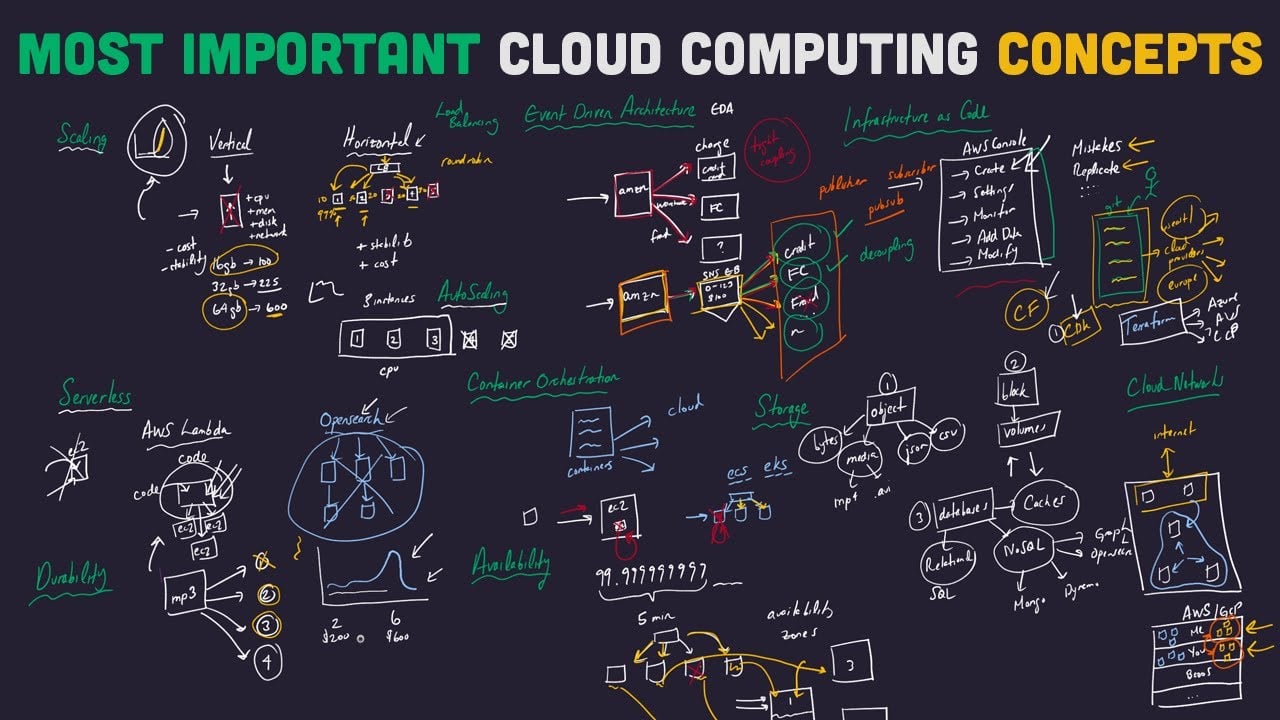
Getting the cloud right has less to do with the technology itself and more to do with your business strategy. There isn't a one-size-fits-all "best" option. The right path for you depends entirely on your company's specific goals, budget, and day-to-day realities.
Jumping in without a clear plan is a surefire way to waste money and get frustrated. The real goal is to find a strategy that fits your business perfectly. This means taking an honest look at your current IT setup, figuring out which applications are ready for a move, and being realistic about your team's skills. A well-thought-out plan makes sure the cloud helps you grow, instead of just being another item ticked off a to-do list.
Assessing Your Applications and Workloads
Before you can chart a course forward, you need a map of where you are right now. Start by taking an inventory of all the software your business uses every day. Not everything is a great fit for the cloud, and some systems might be better off staying put.
For each piece of software, ask yourself a few simple questions:
- How critical is it? Does this system need to be running 24/7 for your business to operate? High-availability cloud platforms are often a great match for these mission-critical tools.
- Does it handle sensitive data? If you're processing personal customer information or valuable intellectual property, your cloud choice will be heavily influenced by security and compliance rules.
- Is it old or custom-built? Legacy software wasn’t designed for modern cloud environments and might need a lot of work to migrate successfully.
This quick assessment helps you sort the easy wins from the bigger projects. You might decide to move your email and file sharing to the cloud first—these are common and relatively straightforward moves. Meanwhile, that bespoke accounting system can stay on-premises for now. This step-by-step approach lowers your risk and helps you build confidence.
Choosing what to move to the cloud is like packing for a big trip. You don't just throw everything into a suitcase. You decide what's essential, what can be left behind, and what needs special care to arrive safely.
Weighing Full Migration vs a Hybrid Approach
Once you've identified which applications could make the move, the next big decision is how to get them there. You basically have two main choices: go "all-in" with a full migration, or take a more balanced hybrid approach.
A full cloud migration means shifting your entire IT operation to a cloud provider like Amazon Web Services or Microsoft Azure. This can bring the biggest cost savings and scalability benefits, but it's also the most disruptive route. It tends to work best for new businesses starting from scratch or companies planning a complete technology refresh.
The hybrid cloud model, on the other hand, gives you a blend of both worlds. It lets you keep sensitive or legacy systems running on your own servers in-house, while moving other applications to the public cloud. This approach offers fantastic flexibility, which is why it's the preferred strategy for 92% of UK organisations. It strikes a practical balance between security, cost, and modernisation.
On-Premises vs Cloud: A Decision Framework for SMBs
To help you think through these options, it's useful to compare them side-by-side. The table below breaks down the key differences and prompts you with the right questions to ask about your own business.
| Consideration | On-Premises Infrastructure | Cloud Computing | Key Question for Your Business |
|---|---|---|---|
| Initial Cost | High (hardware, software licences) | Low (pay-as-you-go subscription) | Can we afford a large upfront capital expense right now? |
| Control | Full control over hardware and data. | Control is shared with the provider. | How much direct control do we need over our infrastructure? |
| Security | You are fully responsible for all security. | Shared responsibility model. | Do we have the in-house expertise to manage complex security? |
| Scalability | Slow and expensive to scale. | Fast and flexible; scale in minutes. | Do our business needs fluctuate unpredictably? |
Ultimately, the best strategy comes from carefully considering both the cloud computing benefits and drawbacks in the context of how your business actually works. A well-designed plan won't just be a technical project; it will deliver real value, improve how you operate, and set you up for future growth.
Got Questions About the Cloud? We've Got Answers
Even after weighing up the pros and cons, it’s completely normal to have a few lingering questions. Shifting how your business handles its IT is a big decision, and you need to be sure you have all the facts.
This section tackles the most common queries we hear from businesses just like yours. We’ll give you straightforward answers, clear up any confusion, and help you feel confident about the path ahead.
What’s the Single Biggest Cloud Security Risk for a Small Business?
For most small businesses, the biggest security threat isn't some super-sophisticated hacker trying to break into a provider’s data centre. It's something much simpler and far more common: human error.
Cybercriminals are always on the lookout for misconfigurations – basically, unlocked doors left open by mistake during setup. These simple errors can have very serious consequences.
A few common slip-ups include:
- Leaving storage buckets public: This is like accidentally leaving a filing cabinet open in a public square for anyone to look through.
- Using weak passwords: Not enforcing strong, unique passwords for cloud services is a recipe for disaster.
- Forgetting to switch on multi-factor authentication (MFA): This is one of the easiest and most effective security measures you can take, but it often gets overlooked.
This is exactly why getting an expert partner on your side is so important. They make sure your cloud setup is built on a solid foundation of security best practices from day one, constantly checking for any mistakes and keeping things properly maintained to close any gaps.
Think of an experienced IT partner as your security architect. They know how to take all the powerful security tools offered by cloud providers and actually put them to work correctly for your specific business. They can turn a potential weakness into one of your biggest strengths.
How Do I Stop Cloud Costs from Spiralling?
The fear of getting a shockingly high bill is a very real concern when you’re moving to a pay-as-you-go model. The secret to keeping cloud costs under control is managing them proactively, not panicking when the invoice lands on your desk.
Good cost control really comes down to good habits and using the right tools. It all starts with visibility—you can’t manage what you can’t see. That means setting clear budgets and having alerts in place to warn you when you’re getting close to your limits.
Beyond that, you need to regularly check what you’re actually using. This simple audit helps you find and shut down ‘zombie’ resources—things like virtual machines or storage that you’re still paying for but no longer need. It's a surprisingly common source of wasted money.
What's more, picking the right pricing model for different jobs can save you a fortune.
You generally have three options to consider:
- On-Demand Pricing: This is your go-to for unpredictable workloads that go up and down. You pay for what you use by the hour or second, with no long-term ties.
- Reserved Instances: If you have predictable, long-term needs, this is a game-changer. By committing to a one or three-year term, you can get a discount of up to 72% compared to on-demand prices.
- Spot Instances: These let you bid on a provider’s spare computing power at a massive discount. They’re great for tasks like data analysis that can be interrupted without causing a problem.
With the right cost management tools and some expert guidance from a managed service provider, you can make sure you’re not over-provisioning resources and are truly getting the most value from every penny you spend.
Do I Have to Move My Whole Business to the Cloud at Once?
Not at all! In fact, a ‘big bang’ approach where you try to move everything in one go is almost always a bad idea for an established business. A phased or hybrid strategy is a much smarter and less disruptive way to get started.
You can begin with something small to get your feet wet and build confidence. A great first step is often moving a single, non-essential application, like your company email or file sharing. This lets your team get used to a new way of working without putting your core operations at risk.
From there, a hybrid model is an incredibly popular and effective strategy for the long haul.
A hybrid cloud approach lets you mix the security and control of your own on-site servers with the flexibility and power of the public cloud. You might keep sensitive financial data in-house, for instance, while your customer-facing website and collaboration tools live happily in the cloud.
This approach gives you a fantastic balance of flexibility, control, and modern features. A good IT partner won’t try to force you into an all-or-nothing decision. They’ll sit down with you to create a migration plan that’s tailored to your business goals and your comfort level.
What Happens to My Business if the Internet Goes Down?
This is a critical question for any business that depends on the cloud. While a solid internet connection is obviously important, there are absolutely ways to build in resilience so your business doesn't grind to a halt.
Your first line of defence is a business-grade primary internet connection from a reliable provider. But don’t stop there. You should back this up with a completely separate secondary connection, maybe a 5G mobile broadband service or a fibre line from a different company. With an automatic failover system, your network can switch between the two instantly, often without anyone on your team even noticing.
This plan keeps you running if one provider has a local problem. On top of that, many modern cloud apps are designed to work offline.
Think about it:
- Microsoft 365: You can carry on working on documents saved to your computer.
- Cloud Accounting Software: Many platforms have offline modes that let you draft invoices or log expenses.
As soon as your internet is back, these apps automatically sync up all the changes you made. This combination of resilient connectivity and smart software is designed to minimise the impact of any outage and keep your team productive.
Ready to explore how a tailored cloud strategy can benefit your business without the drawbacks? The team at HGC IT Solutions provides expert managed IT services to help UK SMBs navigate the cloud with confidence. Contact us today for a no-obligation consultation.
