At its core, Virtual Desktop Infrastructure (VDI) is a pretty straightforward idea. Instead of your work computer being a physical box on or under your desk, it lives as a virtual machine on a powerful server, usually in a secure data centre. You then stream this "desktop" to whatever device you're using, wherever you are.
Think of it this way: your entire work computer lives in the cloud, and you can securely log into it from almost anywhere.
The Modern Workplace Demands a New Desktop
Picture the headache of managing hundreds of individual office computers. Each machine needs its own software updates, security patches, and inevitable hardware repairs. What happens if an employee's laptop gets stolen from a coffee shop? All that sensitive company data is suddenly at risk.
This old-school approach is expensive, a real time-drain for IT teams, and a massive security risk, especially now that so many of us work from home or on the move.
This is exactly the problem VDI was built to solve.
Rather than trying to keep track of countless physical machines, VDI lets your IT team manage a single, standardised "golden image" of a desktop. This master template holds the operating system and all the necessary applications, and it can be rolled out to hundreds or even thousands of users in an instant.
Centralisation is the Key
The magic of VDI is that it separates your desktop from the physical device you use to access it. It's a bit like streaming a film on Netflix; the movie file isn't actually stored on your TV, but you can watch it perfectly on any screen with an internet connection.
This centralised model brings some huge benefits right away:
- Enhanced Security: With all your company data living safely in a secure data centre instead of on easily lost laptops, your risk plummets.
- Simplified Management: IT staff can patch, update, and roll out new software for everyone from one central console. This saves an incredible amount of time and effort.
- Greater Flexibility: Your team gets the exact same high-performance desktop experience whether they're using a basic thin client in the office, their personal laptop at home, or even a tablet on the train.
By virtualising the desktop, businesses create a much more agile and secure way of working. It effectively turns the desktop from a piece of hardware into a secure, on-demand service that's perfect for a flexible workforce.
This shift is a cornerstone of modern IT. Solutions like hosted desktops offer a practical path for companies to get these benefits without a huge upfront spend. VDI is one of the essential tools for remote teams because it provides the secure, consistent, and easy-to-manage desktop that today's distributed workforce needs to thrive.
How a Virtual Desktop Actually Works
To really get your head around VDI, it helps to pull back the curtain and see what’s going on behind the scenes. The whole process can sound a bit technical, but a simple analogy makes it much clearer: think of a central library lending out identical digital "books" to its readers.
In this scenario, your company’s data centre is the central library. The digital books are the virtual desktops, and your employees are the readers who can check them out from any device, anywhere. This setup ensures everyone gets a consistent and secure experience, all managed from one central point.
This map gives you a good visual of how VDI connects that central hub to users on their devices.
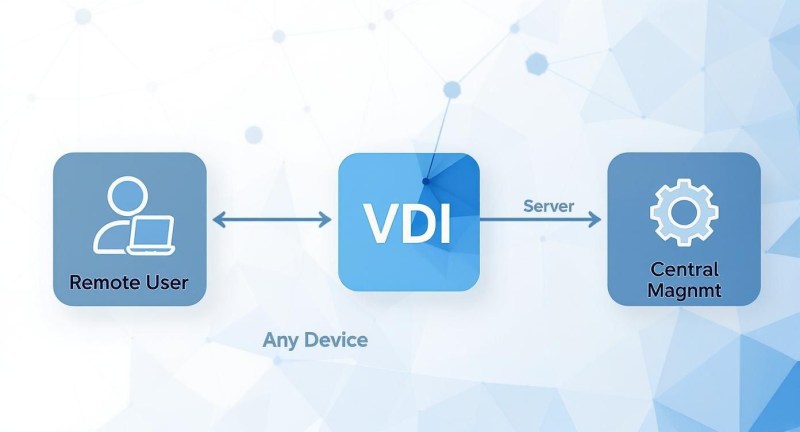
What this really shows is that VDI breaks the traditional link between a physical computer and a user's desktop. It creates a far more flexible and controlled working environment.
The Key Components of VDI Architecture
Several core parts work together to deliver this seamless experience. Each one has a specific job to do, a bit like the different staff and systems in our library analogy. Understanding these helps make sense of how VDI functions.
- The Hypervisor: This is the foundation, basically acting as the head librarian. The hypervisor is software that runs on a physical server, and its job is to create and manage multiple virtual machines (VMs). It carves up the server's real resources, like processing power and memory, and assigns them to each individual virtual desktop.
- Desktop Pools: Think of these as a collection of identical books, all ready for checkout. An IT administrator can create a "golden image" or a master template for a specific team, like sales or finance, and then quickly roll out hundreds of identical desktops from it.
- The Connection Broker: This component is the library’s digital catalogue and front desk rolled into one. When a user tries to log in, the connection broker authenticates their credentials, checks they have permission, and then directs them to an available virtual desktop from the right pool. It’s the traffic cop for the whole session.
This whole system needs careful management to keep everything running smoothly. This is where specialised IT infrastructure monitoring tools become so important, giving you a clear view of the health and performance of the entire VDI environment.
Persistent vs Non-Persistent Desktops
Not all virtual desktops are the same. Depending on what your users need, VDI can be set up in two main ways, and each has its own pros and cons. Choosing between them is one of the most critical decisions you'll make when planning a VDI solution.
The core difference comes down to personalisation. One type of desktop remembers you and your changes, while the other gives you a clean slate every single time you log in.
This distinction is crucial because it has a direct impact on user experience, storage costs, and how much effort is needed to manage everything.
Persistent VDI: Your Personal Digital Office
A persistent desktop is like having your own assigned office cubicle. Every time you log in, you connect to the exact same virtual desktop. Any changes you make, installing an application, changing the wallpaper, creating shortcuts, are all saved and waiting for you next time.
This model is perfect for knowledge workers, developers, and senior staff who need a highly personalised setup. It feels almost identical to using a traditional physical PC. The trade-off? It requires a lot more storage, since a unique desktop image has to be maintained for every single user.
Non-Persistent VDI: The Clean Hot-Desk
A non-persistent desktop, on the other hand, is like using a shared hot-desk. Each time a user logs in, they get a generic, fresh desktop from a shared pool. When they log out, that desktop is wiped clean and returned to its original state, ready for the next person.
This approach is spot-on for task-based roles in places like call centres, training labs, or public kiosks where users don’t need a personalised environment. Because they all run from a shared master image, non-persistent desktops are far more efficient to manage and need much less storage, making them a very cost-effective choice for large numbers of users.
Choosing Your VDI Deployment Model
Deciding to go with a virtual desktop infrastructure is a big move, but it's really just the first step. The next, and arguably more critical, question is how you're going to roll it out. Not all VDI setups are the same, and the path you choose will have a huge impact on your costs, control, and the day-to-day workload for your IT team.
Think of it like deciding where to live. You know you need a place, but do you build your own house from the ground up, rent a fully-serviced flat, or find something in between? Each option has its own set of pros and cons, and the best choice depends entirely on your needs and budget.
Getting your head around these deployment models is the key to building a VDI solution that actually works for your business. The three main routes you can take are on-premises, cloud-based, or a hybrid approach that blends the two.
On-Premises VDI: The DIY Approach
The traditional on-premises model is exactly like building your own house. You buy the plot of land (your servers), sort out the plumbing and electrics (networking gear), and build the house itself (installing and configuring the VDI software). You're in charge of every last detail.
This gives you absolute control, which is fantastic if you have very specific security or compliance regulations to meet. The flip side? You're responsible for everything.
- High Upfront Costs: You have to buy all the hardware outright, servers, storage, networking kit, plus all the necessary software licences. It's a significant initial investment.
- Ongoing Maintenance: Your IT team is on the hook for managing, patching, and upgrading the entire system. This requires some serious in-house expertise.
- Slower Scalability: Need to bring on more staff? You’ll have to buy and install more physical hardware, which takes time and money.
This route is often the go-to for large organisations in heavily regulated sectors like finance or government, where having complete control over their data isn't just a preference, it's a requirement.
Cloud-Based VDI: Desktop as a Service
The modern alternative is cloud-based VDI, often known as Desktop as a Service (DaaS). Think of this as renting a high-end, fully-serviced flat. A third-party provider owns and manages the entire building (the cloud infrastructure), and you just pay a predictable monthly subscription to use your "flat" (your virtual desktops).
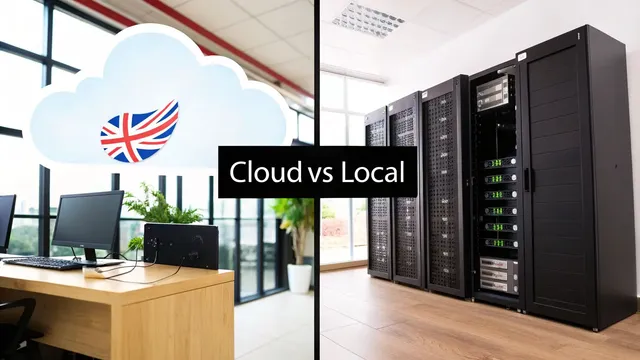
Desktop as a Service is the model that makes sense for businesses out on Purbeck: nothing to host locally, and the desktop follows the person whichever connection they are on.
The provider takes care of all the tricky stuff in the background, maintenance, security, updates, which frees up your IT team to focus on work that adds more value to the business. This model flips the cost from a hefty capital expenditure (CapEx) to a much more manageable operational expenditure (OpEx).
This approach has really taken off. Virtual desktops are now widely used across UK organisations in one form or another. Many have chosen cloud-based DaaS solutions, showing a clear shift away from purely on-premises setups. You can see how the market is moving by exploring these UK VDI adoption trends on Channel Futures.
With DaaS, you trade a bit of granular control for a massive gain in flexibility and simplicity. It lets businesses scale up or down almost instantly, paying only for what they actually use.
The Hybrid VDI Model: Getting the Best of Both
Of course, this isn't always a black-and-white decision. A hybrid VDI model mixes on-premises infrastructure with cloud services. It's like owning your main family home but renting a holiday cottage for when you have extra guests. You keep the stability and control of your own hardware for your most sensitive data, while using the cloud's flexibility for things like temporary projects or supporting remote workers.
This balanced approach has become popular, with plenty of UK businesses now running a hybrid deployment. It gives organisations a way to modernise at their own pace. They can shift certain workloads to the cloud while keeping others securely in-house for compliance or performance reasons. To get a better feel for how these pieces fit together, it's worth reading up on what goes into designing a managed IT infrastructure that can support this kind of setup.
Comparing VDI Deployment Models: On-Premises, Cloud (DaaS), and Hybrid
Choosing the right deployment model is a balancing act between cost, control, and convenience. The table below breaks down the key differences to help you see which approach might be the best fit for your organisation.
Feature | On-Premises VDI | Cloud VDI (DaaS) | Hybrid VDI |
|---|---|---|---|
Initial Cost | Very high (hardware, software) | Low (subscription-based) | Moderate (mix of both) |
Scalability | Slow and expensive | Fast and on-demand | Flexible, uses cloud for bursts |
IT Management | Full responsibility in-house | Managed by the provider | Shared responsibility |
Control | Complete control over all aspects | Limited to provider's platform | High control on-prem, less in cloud |
Best For | Large enterprises with strict security needs | SMBs, rapid growth, remote teams | Businesses with mixed needs |
Ultimately, the best model depends on your specific circumstances. An on-premises solution offers unmatched control for those who need it, DaaS provides incredible agility for modern businesses, and a hybrid model offers a practical middle ground for organisations in transition.
The Real-World Benefits of Using VDI
Knowing how virtual desktop infrastructure works is one thing, but the real lightbulb moment comes when you see why so many businesses are making the switch. The advantages aren't just technical novelties; they translate into real, measurable improvements in security, management, and your budget. It’s all about building a smarter, more flexible way for your team to work.
Let's cut through the jargon and look at the practical perks VDI brings to the table, using scenarios that businesses like yours face every single day. These examples show how VDI doesn't just solve problems, it creates opportunities.
Enhanced Security in an Unpredictable World
One of the strongest cases for VDI is its security. By its very nature, it keeps your company’s sensitive data exactly where it should be: safe and sound in your centralised data centre. That data is no longer spread across countless individual devices that can easily be lost, stolen, or compromised.
Think about this common nightmare: a team member leaves their company laptop in a taxi. With a traditional IT setup, this is a full-blown emergency. That device could hold client lists, private emails, and financial data, turning a simple mistake into a massive data breach.
With VDI, that same situation is completely different. The laptop is just a portal to the virtual desktop; no actual data is ever stored on the physical machine. Your IT team can instantly block access from that device, and your employee can simply log in from another computer and carry on as if nothing happened. All the critical information stays protected in the data centre. This centralisation is a game-changer for managing risk.
VDI shifts your security focus from trying to protect hundreds of vulnerable laptops to defending a single, highly-controlled central server. This massively simplifies security and shrinks the risk of data loss from physical theft.
Simplified IT Management and Rapid Deployment
Imagine the headache of updating an application on 500 different office computers. An IT admin would have to go from desk to desk or push out updates that often fail, a process that could drag on for days or even weeks. It’s a thankless, time-consuming task.
Now, let's look at the VDI way. The administrator updates just one master "golden image" with the new software or security patch. The next time users log in, they automatically get the fresh, updated desktop. That whole process for all 500 users can be done in minutes.
This streamlined approach delivers some huge wins:
- Rapid Patching: Security holes can be fixed across the entire company almost instantly.
- Consistent Experience: Everyone gets the same reliable, standardised desktop, which cuts down on compatibility headaches and support tickets.
- Freed-Up IT Team: Your tech staff can stop fighting fires and focus on bigger, more strategic projects.
Of course, securing this central hub is vital. Protecting a VDI deployment involves similar principles to those outlined in these cloud security best practices.
Significant Cost Savings and Operational Efficiency
While there's an upfront cost to getting VDI set up, the long-term financial benefits are compelling. Because all the heavy lifting, the processing and storage, happens on the server, you no longer need to splash out on expensive, high-powered PCs for every employee.
Instead, you can roll out affordable and durable thin clients. These are simple, low-power devices built for one job: connecting to a virtual desktop. Not only does this reduce hardware spending, but it also lowers your office energy bills. When you add in savings from more efficient software licensing and reduced IT labour, VDI proves to be a very sound financial move over time.
How VDI Works in Different Industries
Virtual Desktop Infrastructure isn't a one-size-fits-all solution. Its real strength lies in its flexibility, adapting to solve the unique problems faced by different sectors. From the high-stakes world of finance to the fast-paced environment of healthcare, VDI offers a secure and adaptable way to get the right tools into the right hands, exactly when they're needed.
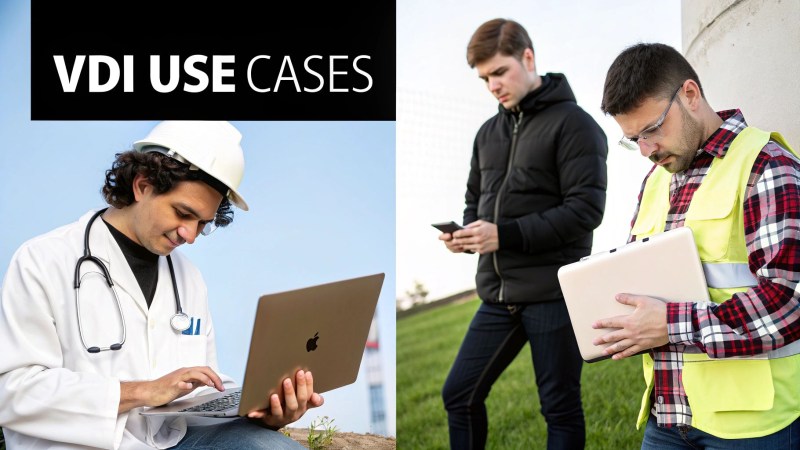
This adaptability is why its adoption is growing so quickly. This growth is being driven by demand across a whole host of industries, including IT, finance, manufacturing, and retail.
Let’s look at how this plays out in the real world.
Securing Finance and Upholding Compliance
In the tightly regulated financial services industry, security and compliance aren't just best practices, they're essential. Banks and investment firms are custodians of incredibly sensitive client data, where even a minor breach can have disastrous consequences. VDI offers a robust defence by keeping all data locked down on a central, fortified server.
Imagine a financial trader working from home. Using VDI, they can access live market data and place trades from their personal laptop, but none of the confidential information is ever actually stored on their device. It's all happening on the server. This centralised model makes it much simpler to enforce strict security rules, track user activity, and demonstrate compliance to regulators.
VDI essentially creates a secure bubble for financial operations. It allows remote access without ever letting sensitive data leave the organisation's protected environment, dramatically reducing the risk of data leakage.
This controlled environment is a game-changer for meeting stringent industry standards.
Enabling Agile Healthcare Delivery
Hospitals and clinics are dynamic places. Doctors and nurses need immediate access to patient records from anywhere, a patient's bedside, a consulting room, or an operating theatre. Having to rely on a single, clunky laptop just doesn’t work.
VDI completely changes this workflow for healthcare staff. A doctor can pull up a patient's electronic health record (EHR) on a tablet in one room, then log into a different computer terminal in another ward and find their exact same desktop waiting for them. This seamless "follow-me" experience is vital for continuity of care and makes the whole process more efficient.
- Instant Access: Clinicians can get to patient data immediately on any authorised device.
- Enhanced Security: Patient confidentiality is much easier to maintain as no data is stored locally.
- Simplified Management: IT teams can roll out updates to medical software across the entire hospital from one central point.
It's all about making sure critical information is always available, always secure, and always right where it needs to be.
Empowering Engineering and Design
Firms in engineering, architecture, and design depend on seriously powerful software like CAD (Computer-Aided Design) applications. Traditionally, this meant every single designer needed a top-of-the-line, expensive workstation tethered to their desk.
VDI breaks those chains. All the heavy lifting and intense processing is handled by powerful servers in the data centre, while the visual output is streamed to the user's device. This means an architect can be at a client's site with a lightweight laptop and make real-time changes to a complex 3D model. They get the raw power of a high-end workstation with the go-anywhere convenience of a tablet, which is a huge boost for collaboration and getting work done faster.
Building Your First VDI Strategy
https://www.youtube.com/embed/DpTiyYi5ZTA
Jumping into a virtual desktop infrastructure project without a clear plan is a recipe for disaster. It's tempting to get bogged down in technical specs, but a successful rollout starts with your people and what they actually need to do their jobs well.
The best way to kick things off is by understanding how your team works. Not everyone needs the same setup. Think about creating user "personas" to map out these different requirements.
For instance, a salesperson out on the road might only need access to the CRM and email on a tablet. An administrator back at the office, on the other hand, needs a full suite of productivity tools on a proper desktop. Defining these roles helps you tailor the experience, and it's a key part of any good plan for digital transformation for small businesses.
Assessing Your Applications and Infrastructure
Once you've got a handle on your user profiles, it's time to look at your software. You need to be sure that your most important applications are actually ready for VDI. Some older, legacy programs can be a bit tricky and might not perform well in a virtual environment without a few tweaks.
Your current network is just as important. A smooth VDI experience relies on a solid, low-latency connection between the user's device and the central server. It’s a smart move to run a network assessment to find any potential bottlenecks before they start causing headaches for your team.
Starting Small with a Pilot Programme
Instead of trying to switch everyone over at once, the best approach is to start with a small pilot programme. Pick a handful of users from your different personas and get them set up first. This controlled test run is the perfect way to gather real-world feedback and sort out any kinks on a small scale.
A pilot programme is your secret weapon for a successful VDI deployment. It transforms the rollout from a risky gamble into a carefully managed process, ensuring the final solution genuinely meets your business needs.
This initial phase gives you priceless insight into performance, the user experience, and any technical surprises you didn't see coming.
Choosing the Right Vendor and Model
Finally, you need to pick the right partner and deployment model. These days, the shift towards the cloud makes this decision much clearer. In fact, most UK enterprises are already using some form of cloud service. As more of the enterprise IT budget shifts to the cloud, cloud-based virtual desktops are quickly overtaking traditional on-premises setups.
When you’re looking at vendors, be sure to ask the right questions:
- What does your support model look like? You need to know you can get expert help when things go wrong.
- How transparent is your pricing? Get a clear picture of all subscription and licensing fees to avoid nasty surprises down the line.
- Can the solution scale with our business? Choose a provider who can grow with you for the long haul.
Got Questions About VDI? We've Got Answers
So, you've got the basics of VDI down, but a few practical questions are probably still bouncing around in your head. That's completely normal. Let's tackle some of the most common queries to clear up how VDI actually feels and works day-to-day.
"Will a Virtual Desktop Feel Slow?"
This is probably the number one concern we hear: lag. Nobody wants to deal with a sluggish desktop. The good news is that in a properly set-up VDI environment, the experience can be just as snappy as a high-end PC, sometimes even faster.
The key is that the performance isn't tied to the clunky old laptop you might be using. It all comes down to the power of the central servers and the quality of your network connection.
"What Sort of Internet Connection Do I Need?"
You might think you need a mega-fast fibre connection, but that's not necessarily the case. VDI isn't a massive bandwidth hog. What it really needs is a stable connection with low latency.
Think of latency as the delay between you doing something (like moving your mouse) and seeing it happen on screen. A consistent, low-latency connection is far more important than raw download speed for making your virtual desktop feel responsive and instant.
"Isn't This Just a Fancy VPN?"
It's easy to get these two mixed up, but they do completely different jobs. A VPN (Virtual Private Network) is like a secure, encrypted tunnel that connects your computer to the company's network. You're still using your own PC's processor, memory, and operating system.
A VDI, on the other hand, gives you an entirely new desktop experience that lives on a server back in the office. The VPN gets you through the digital front door; the VDI gives you a complete, managed company computer to work on once you're inside.
Ready to see how a VDI solution could secure your data and make your team's life easier? The experts at HGC IT Solutions can design a virtual desktop setup that fits your business perfectly. Get in touch with HGC IT Solutions.
Planning a move to the cloud? Explore our managed cloud services for UK small businesses.