
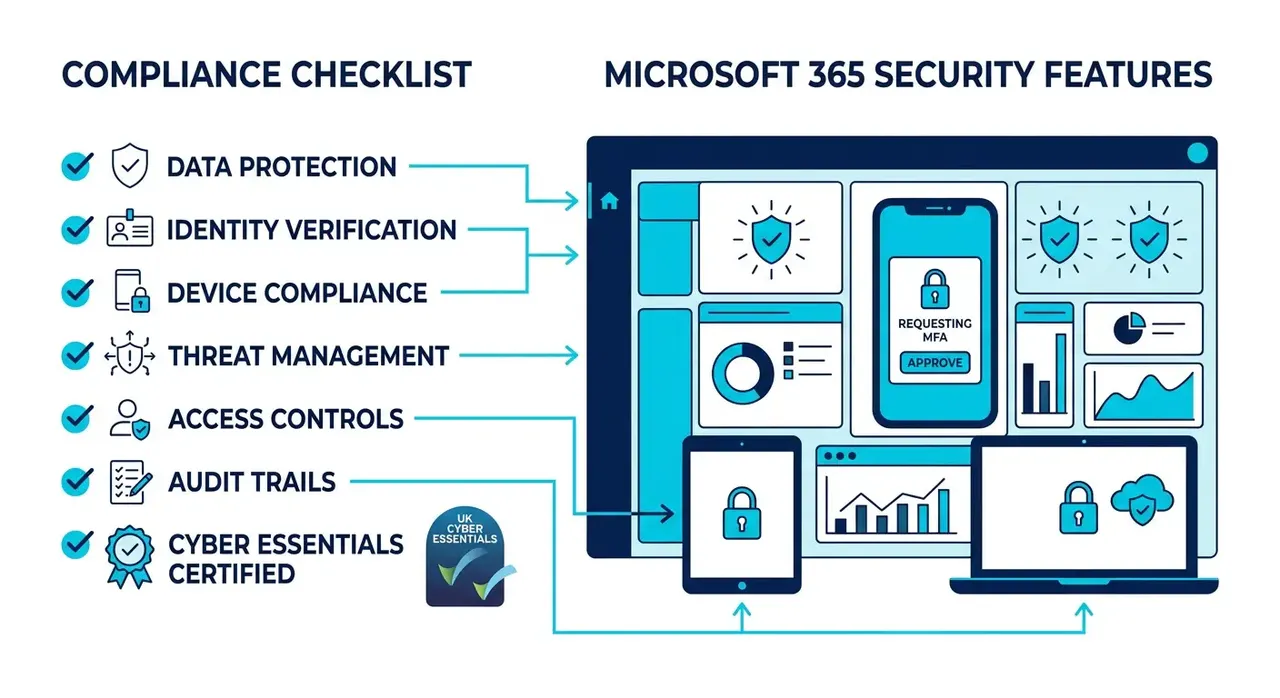
Your M365 Already Has Everything You Need for Cyber Essentials Compliance
If you have been following our blog on Cyber Essentials Plus changes for 2026, you know that cybersecurity requirements are getting stricter every year. But here is the good news: your Microsoft 365 subscription already includes everything you need to meet Cyber Essentials and GDPR compliance.
For the Bournemouth professional firms we work with, this is usually the whole job: the licences are already paid for, and certification is a matter of configuring what they own.
The problem? Most small businesses do not know how to configure it properly. The tools are there, but they are often left at default settings, providing little real protection. At HGC IT Solutions, we have helped dozens of SMEs across Dorset transform their M365 into a robust cybersecurity defence that maps directly to UK compliance requirements.
The Cyber Essentials Requirements vs What Your M365 Provides
The NCSC Cyber Essentials framework assesses five control areas. Here is what your Microsoft 365 Business Premium already delivers for each:
1. Firewalls and Internet Gateways
Cyber Essentials Requirement: Deploy and maintain appropriate firewalls to filter internet traffic.
M365 Solution: Microsoft Defender for Cloud Apps provides advanced threat protection and web filtering. The service monitors outbound traffic, blocks suspicious domains, and prevents data exfiltration attempts in real-time.
Most SMBs have this active but unconfigured. With proper setup, you get enterprise-grade web security out of the box.
2. Secure Configuration
Cyber Essentials Requirement: Ensure all systems are configured securely with minimum access privileges and up-to-date software.
M365 Solution: Microsoft Secure Defaults means your tenant is already hardened:
- Conditional Access policies enforce authentication requirements
- Multi-factor authentication protects all accounts
- Data Loss Prevention policies prevent accidental data leakage
- Information Protection labels encrypt sensitive documents automatically
These features require configuration. Most SMBs leave them at defaults but with proper setup you get a Cyber Essentials-ready environment.
3. User Access Control
Cyber Essentials Requirement: Implement access controls to ensure users only have permissions for their role.
M365 Solution: Microsoft Entra ID provides:
- Role-based access control
- Privileged identity management for just-in-time admin access
- Self-service password reset and account recovery
- Guest user lifecycle management with auto-expiration
These features are critical for meeting Cyber Essentials minimum access requirements. We have seen IT admins waste 70% of their time on manual access management that M365 can automate entirely.
4. Malware Protection
Cyber Essentials Requirement: Deploy antivirus software and maintain regular signature updates.
M365 Solution: Microsoft Defender for Office 365 provides:
- Advanced anti-phishing with impersonation protection
- Anti-malware scanning with automatic updates
- Spam filtering with custom rules
- Safe Links and Safe Attachments that check URLs before opening
Most SMBs rely on third-party antivirus while ignoring the built-in Defender solutions that are already configured and integrated.
5. Patch Management
Cyber Essentials Requirement: Regularly update software and systems with vendor patches.
M365 Solution: Microsoft updates all M365 services automatically with zero-touch patching for:
- Office applications including Word, Excel, and Teams
- Browser security features
- Security definitions and threat intelligence
- Cloud infrastructure components
You just need to ensure devices connecting to M365 are properly patched using Intune or a managed solution.
Why Most Businesses Fail Cyber Essentials with M365
Here is the reality: your Microsoft 365 can achieve Cyber Essentials compliance but only if you configure it properly. The typical failure pattern looks like this:
Pattern 1: Leave Everything at Defaults
You activate M365, set up basic email and a Teams room, then expect full protection. Default settings provide basic anti-spam filtering, minimal security policies, no data loss prevention, and guest users with unlimited access. This is the same as leaving your front door unlocked.
Pattern 2: Use M365 for Email Only
Many SMBs use M365 like a glorified email account. Teams is underutilised, SharePoint is just a file upload folder, and Defender settings go untouched. You are paying for enterprise-grade security but getting basic email hosting.
Pattern 3: No Compliance Owner
Who is responsible for Cyber Essentials compliance with your current tools? Most SMBs have no answer. Without a clear owner, features like Conditional Access or DLP policies never get configured.
How HGC IT Makes Your M365 Cyber Essentials-Ready
At HGC IT Solutions, we have developed a proven process to transform your Microsoft 365 environment into a fully compliant platform, typically within 7 to 10 days.
Phase 1: Gap Analysis
We audit your current M365 configuration against the five Cyber Essentials control areas. We identify every gap from unenforced MFA to missing DLP policies and create a prioritised roadmap.
Phase 2: Security Policy Configuration
MFA Enforcement: We implement phishing-resistant multi-factor authentication across all accounts including guest users. This is a hard requirement for 2026 CE Plus compliance.
Conditional Access Policies: We set up policies that enforce sign-in requirements, device compliance checks, location-based restrictions, and guest user limitations.
DLP Rules: We implement data loss prevention policies to block accidental sharing of sensitive data, encrypt documents containing PII, prevent unauthorised external uploads, and monitor suspicious bulk downloads.
Email Security: We configure Microsoft Defender to block phishing attempts, scan all attachments, verify URLs before users open them, and quarantine suspicious messages.
Phase 3: Device Management with Intune
For Cyber Essentials Plus compliance, you need device-level protection. We configure Microsoft Intune to enforce device security requirements, deploy security updates automatically, monitor device health in real-time, and remotely wipe lost or stolen devices.
Phase 4: Testing and Validation
Before you engage a CE assessor, we run validation tests to confirm your configuration meets requirements. We test MFA prompts, verify DLP rules, run simulated phishing attempts, and confirm guest access restrictions work as intended.
Phase 5: Ongoing Monitoring
Compliance is not a one-time achievement. We provide ongoing M365 management to monitor security policies, review threat detection alerts, update configurations as Microsoft releases new features, and respond to compliance-related incidents.
Book a Free Compliance Readiness Review
If you are worried that your current M365 configuration does not meet Cyber Essentials requirements, book a free readiness review with HGC IT Solutions. We will:
- Audit your existing M365 environment against CE requirements
- Identify gaps in security policies and device management
- Provide a clear roadmap to full compliance
- Calculate the cost of remediation versus ongoing support
No obligation, just actionable insights to protect your business.
The Bottom Line
Microsoft 365 Business Premium is Cyber Essentials-ready by design. You just need to enable the features you are already paying for. Most SMBs do not do this and they pay the price in failed compliance assessments, security incidents, and preventable breaches.
Do not leave your data vulnerable because you did not know how to configure what you already own. Let HGC IT transform your M365 into a fully compliant cybersecurity defence. Get in touch today.
HGC IT Solutions provides Cyber Essentials compliance support and Microsoft 365 services to SMEs across Dorset and the UK.