

Think of your password as the first key to your front door. Two-factor authentication (2FA) is like adding a second, completely different lock that needs a unique key—one that only you possess.
It's a security process that adds an extra layer of defence, making sure that even if someone manages to steal your first key (your password), they still can't get in. Essentially, 2FA acts as a digital bouncer for your accounts.
Why Your Password Is Not Enough
In a world where data breaches are all too common, relying on a single password is a huge gamble. It's like leaving your front door unlocked and hoping for the best. Passwords can be stolen, guessed, or cracked using brute-force attacks, making them a fragile first line of defence.
This is why understanding what two-factor authentication is and how it works is so vital for protecting your sensitive information and keeping unauthorised users out.

The need for stronger security isn't just theoretical. The 2025 UK Cyber Security Breaches Survey revealed some stark figures: 43% of businesses and 30% of charities suffered a cyber breach in the last year alone. Despite these threats, only about 40% of businesses have implemented advanced controls like 2FA, leaving a massive security gap. You can dig into the full report here: Cyber Security Breaches Survey 2025.
The Three Pillars of Authentication
So, how does 2FA actually work? It functions by demanding two different types of proof to verify your identity before it lets you in. These proofs, or "factors," are pulled from three distinct categories. A solid 2FA system combines any two of these pillars to create a much tougher barrier for would-be attackers.
- Something You Know (Knowledge): This is the classic factor. It’s anything you can remember, like a password or a PIN.
- Something You Have (Possession): This is a physical object in your possession. Think of your smartphone (where you get a code), a dedicated hardware token, or a smart card.
- Something You Are (Inherence): This one is all about you—your unique biological traits. We're talking about your fingerprint, face scan, or even your voiceprint.
By combining two of these different categories—for instance, a password (knowledge) and a one-time code sent to your phone (possession)—2FA makes it exponentially harder for an attacker to break into your account.
This layered security model is a cornerstone of modern cybersecurity frameworks. It's a key part of a "never trust, always verify" mindset. To see how this concept fits into a broader network security strategy, take a look at our guide on what is Zero Trust security. The principle is simple but powerful: requiring a second factor is one of the best ways to enforce verification.
How 2FA Works to Keep Attackers Out
Think of your password as the key to a door. It works, but if someone steals it, they can walk right in. Two-factor authentication (2FA) is like adding a deadbolt that requires a completely different key—one that only you have.
The whole process kicks off when you log in somewhere. First, you enter your username and password, which is the "something you know" factor. This is the first check, the initial handshake with the system.
If you get the password right, you're not in yet. This is where 2FA steps in and slams the door shut on any would-be attacker. The system will now ask for the second key—the "something you have" factor, like your phone or a physical security key.
The Second Factor in Action
This second step can play out in a few ways. You might get a text message with a six-digit code, or you could open an authenticator app that generates a fresh code every 30 seconds. If you're using a physical hardware key, you'll plug it into your device and give it a tap.
Once you enter that code or approve the login from your trusted device, the system verifies this second piece of ID. Only after both the password and the second factor are confirmed does the digital door swing open. This double-check system means a criminal with your stolen password is still locked out. They can't get past that second gate without having your phone in their hand.
Is 2FA the Same as MFA?
You’ll often hear the term Multi-Factor Authentication (MFA) thrown around with 2FA, and it's easy to get them mixed up. They're related, but not quite the same. The simplest way to look at it is that MFA is the overall category, and 2FA is a specific type of it.
-
Two-Factor Authentication (2FA) strictly requires two separate types of proof. A classic example is your password (knowledge) plus a code from your phone (possession).
-
Multi-Factor Authentication (MFA) just means using two or more factors. You could, for instance, use a password, a fingerprint scan, and a hardware key for accessing highly sensitive company data.
Essentially, all 2FA is a form of MFA, but MFA can involve more than just two steps. For most small businesses, 2FA hits that sweet spot between robust security and not driving your team crazy.
The big idea here is simple but incredibly effective: by layering different ways to prove who you are, you build a security wall that's exponentially tougher to break through than just a password alone.
At its heart, 2FA is an incredibly powerful way to prevent unauthorized access because it makes stolen passwords practically useless by themselves. You’re demanding a second, completely separate piece of evidence, which is the single most effective way to shut down common account takeovers and keep your data safe.
A Look at the Different Types of 2FA
Now that we’re clear on why two-factor authentication is so important, let's get into the how. Not all 2FA methods are created equal; they offer different blends of security and convenience. Think of it like choosing a lock for your house—some are simple key-and-tumbler set-ups, while others are high-tech fortresses.
Each method works by asking for that second piece of proof, but they go about it in different ways. We'll walk through the most common options out there, looking at their pros and cons to help you find the right balance between airtight security and a smooth experience for your team.
This diagram shows just how simple the 2FA process is in practice.

It boils down to three simple steps: you enter your password, you verify with a code, and you're in. That middle step is the crucial checkpoint that keeps intruders out.
SMS Text Message Codes
This is probably the 2FA method you’ve seen the most. It's simple: after you pop in your password, the service sends a one-time code to your phone via text message. You just type that code in to prove you’re the one holding the phone.
The biggest plus here is convenience. Almost everyone has a phone that can get texts, so there's no need to install special apps or buy any new gadgets. But that convenience comes with a security trade-off.
The problem is that SMS codes are vulnerable to SIM swapping. This is a nasty trick where a scammer convinces your mobile provider to switch your phone number over to a SIM card they control. Once they have your number, they get your 2FA codes and can waltz right into your accounts.
Authenticator Apps
A much safer bet is using an authenticator app, like Google Authenticator, Microsoft Authenticator, or Authy. These apps generate what’s called a Time-Based One-Time Password (TOTP) – a fresh code that changes every 30-60 seconds.
Because the code is created on your device itself and never sent over a mobile network, SIM swapping is completely off the table. This makes authenticator apps a far more secure choice than SMS, and it's what we recommend for most people and businesses. Setting one up is usually as simple as scanning a QR code.
There's a clear shift towards stronger methods. In the UK, the use of authenticator apps and biometrics jumped from just 12% in 2022 to 21% by 2024. This shows people are getting smarter about digital security, although there's still a long way to go.
Hardware Security Keys
If you need the absolute highest level of security, nothing beats a physical hardware key. These are small devices—like a YubiKey or Google Titan Key—that plug into your computer via USB or connect wirelessly through NFC or Bluetooth. You simply plug it in or tap it on your phone to approve a login.
Hardware keys are the gold standard because they are practically phishing-proof. Even if a cybercriminal tricks you into typing your password on a fake website, they're stopped dead in their tracks. Without the physical key, they can't get in.
Why are hardware keys so effective? They create an "unphishable" layer of security. The key communicates directly and cryptographically with the real service, so it can't be fooled by a fake login page. This provides the strongest possible defence against stolen credentials.
Biometric Verification
Biometrics use something you are to prove it's you. Think of the fingerprint scanner on your laptop, the facial recognition on your phone (like Apple’s Face ID), or even voice patterns.
This method is incredibly easy to use because there are no codes to remember or devices to carry. It's built right into the tech you use every day. As you explore your 2FA options, it's worth understanding the role of biometric technology in modern security.
While it’s fantastically convenient, the overall security can depend on the quality of the device’s sensors. That said, for most day-to-day use, modern biometrics offer an excellent mix of strong security and a hassle-free experience.
Choosing the Right 2FA Method for You
So, which option is best? It really comes down to your specific security needs, budget, and who will be using it. Often, a mixed approach is the smartest way forward, using stronger methods for more sensitive accounts.
To make things a bit clearer, here’s a quick comparison of the most common 2FA options.
Comparison of Common 2FA Methods
| 2FA Method | Security Level | User Convenience | Primary Weakness |
|---|---|---|---|
| SMS Codes | Low | High | Vulnerable to SIM swapping and phishing. |
| Authenticator Apps | High | Medium | Requires a smartphone and app setup. |
| Hardware Keys | Very High | Medium | Requires purchasing and carrying a physical key. |
| Biometrics | High | Very High | Security depends on the device's hardware quality. |
At the end of the day, using any form of 2FA is a massive improvement over relying on passwords alone. For most businesses, switching from SMS to an authenticator app is a great first step. For your most critical systems and data, giving hardware keys to key personnel provides a nearly unbreakable line of defence.
The Good, The Bad, and The Ugly of 2FA
Rolling out two-factor authentication is one of the single biggest security upgrades you can make for your business. Think of it as a deadbolt on your digital front door; it’s a powerful shield against a huge number of common cyber threats.
But it’s important to be realistic. While 2FA dramatically boosts your defences, it isn't an impenetrable force field. To get the most out of it, you need a clear-eyed view of both its strengths and its weaknesses.
The core idea is simple: 2FA makes stolen passwords practically useless by themselves. If a hacker gets hold of a password through a data breach or a clever phishing email, they’re stopped in their tracks. Without that second piece of the puzzle – your phone, your fingerprint, your hardware key – they can’t get in.
Why 2FA is a Game-Changer
The protection 2FA offers goes well beyond just one person's account. For a business, it's a solid defence against automated attacks and a massive step towards meeting data protection standards.
Here’s where it really shines:
- It stops unauthorised access cold: Requiring that second proof of identity blocks the vast majority of brute-force attacks and attempts that rely on stolen passwords alone.
- It helps with regulatory compliance: For any UK business handling personal data, implementing 2FA is a clear signal you’re serious about GDPR. It’s a tangible way to demonstrate you're taking reasonable steps to protect sensitive information.
- It neuters the threat of password reuse: We all know people reuse passwords. It's a bad habit, but a common one. With 2FA, even if a password from a flimsy, unimportant website gets leaked, your critical business systems stay locked down.
Remember the Colonial Pipeline attack in 2021? That massive disruption was caused by a single compromised password on an account that didn't have a second factor. It’s a brutal reminder that a password alone is no longer enough.
Facing Up to the Potential Risks
For all its strengths, 2FA isn't bulletproof. Cybercriminals are always looking for a way around security measures, and 2FA is no different. Understanding their tactics is the first step to building a proper defence.
Most attacks on 2FA target the weakest link in the chain: either the person using it or the channel the verification code is sent through.
It’s an interesting problem. In the UK, public awareness of cyber threats is high, but that doesn't always translate into action. The 2025 Cyber Crisis survey from the Institution of Engineering and Technology (IET) found that while 56% of adults worry about being hacked, one in eight admit they don’t change their online behaviour even after being a victim of cybercrime. You can discover the full findings from the IET survey here.
This gap between knowing and doing is exactly why businesses need to understand the specific risks tied to 2FA.
Common Loopholes and How to Plug Them
Even with 2FA enabled, determined attackers have a few clever tricks. Knowing what they are is half the battle, and it's essential for your team's security training.
-
Advanced Phishing Scams: This is a classic. A hacker builds a fake login page that’s a perfect copy of the real thing. An employee enters their password and is then asked for their 2FA code. As soon as they type it into the fake site, the attacker uses it on the real site and they’re in. Your best defence is training. You have to teach your team to protect against phishing by always, always checking the website URL before entering a single credential.
-
SIM Swapping: This attack is aimed squarely at SMS-based 2FA. A criminal calls your mobile provider, convinces them they're you, and gets your phone number switched over to a SIM card they control. From that point on, they receive all your 2FA codes. The easiest way to shut this down is to stop using SMS for 2FA and switch to more secure authenticator apps or hardware keys.
-
Lost or Stolen Devices: This isn't a malicious attack, but it’s a very real operational risk. If an employee loses their phone or hardware key, they're locked out. Work grinds to a halt. The solution is to have a solid recovery plan, like securely stored backup codes or a secondary 2FA method registered to their account.
A Practical Guide to Implementing 2FA
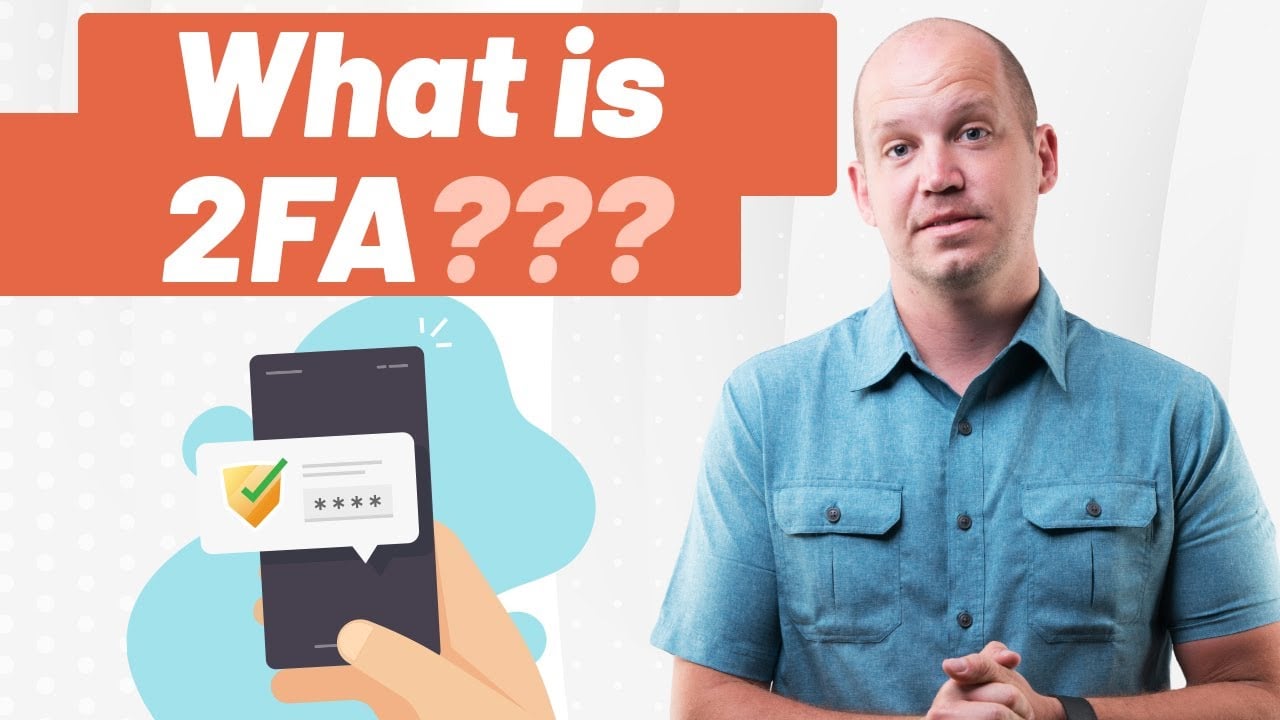
Knowing what two-factor authentication is and actually using it are two very different things. This is where the theory hits the road. Let’s walk through a straightforward plan for putting 2FA in place, whether you’re protecting your own accounts or rolling it out for your entire company. The goal is to get this essential security layer up and running to defend your most important digital assets.
First things first: take stock and decide what to protect. You don't have to boil the ocean and secure every single account on day one. Start with the crown jewels—the accounts that would cause the most chaos if a criminal got their hands on them. This makes the whole process feel much more manageable.
For most of us, both at home and at work, the priority list is pretty clear:
- Your main email account: Think of this as the master key to your digital life. If an attacker gets in, they can hit the "forgot password" link for almost everything else.
- Banking and financial apps: This one’s a no-brainer. Protecting your money should be right at the top of the list.
- Business cloud platforms: This means your core systems like Microsoft 365 or Google Workspace. A breach here could expose all your company data.
- Social media accounts: A compromised social media account, especially for a business, can lead to a public relations nightmare and serious brand damage.
Choosing the Right 2FA Method
Once you know what to protect, you need to decide how. As we’ve covered, not all 2FA methods are created equal. The trick is to find the right balance between bulletproof security and day-to-day convenience for your users.
For most small businesses, authenticator apps hit the sweet spot. They provide a massive security upgrade over SMS codes, are simple to use, and don’t cost a penny. If you need the absolute best protection, especially for IT admins or staff handling ultra-sensitive information, then hardware keys are the gold standard.
A Simple Rollout Plan for Your Business
Getting your team to use 2FA involves more than just flicking a switch in your admin settings. A bit of planning goes a long way to ensure a smooth transition, get everyone on board, and prevent your IT helpdesk from being flooded with calls.
Here’s a simple, four-step approach to get you started:
-
Start with a Pilot Group: Don't go for a "big bang" launch. Test the entire process with a small, friendly group of users first. Your IT team or a single tech-savvy department is a great place to begin. This helps you iron out any kinks and improve your instructions before everyone else gets involved.
-
Communicate Clearly and Early: Give everyone a heads-up well in advance. Explain why the business is making this change, focusing on how it protects both company data and their own information. Frame it as a necessary security upgrade, not just another bit of admin hassle.
-
Provide Simple, Step-by-Step Training: Never assume everyone knows how to set up an authenticator app. Create a simple guide with screenshots or record a quick video showing them exactly what to do. A short training session where people can ask questions is even better.
-
Have a Support Plan Ready: Someone will lose their phone; it’s inevitable. Make sure you have a clear process for helping an employee reset their 2FA. This means knowing how to use administrative recovery options or having backup codes stored securely.
A well-planned rollout is everything. When you explain the "why" and provide clear guidance, you turn a potential point of friction into a shared security win. It's a huge step towards building a culture where everyone takes security seriously.
For businesses on Microsoft 365, implementing 2FA is the perfect time to explore more powerful security tools. You can take things a step further by learning about Microsoft 365 Conditional Access, which works with 2FA to grant access only when certain conditions are met. It's like adding an intelligent bouncer to your digital front door.
By turning knowledge into a clear, actionable plan, you can successfully implement 2FA and make your organisation dramatically more resilient against cyber threats.
Best Practices for Managing Your 2FA Security
Switching on two-factor authentication is a brilliant first move, but it’s definitely not a "set it and forget it" solution. To keep it working as a rock-solid defence, you need to manage it properly. This means being smart about the methods you choose and having a clear plan for when things go wrong.
It’s a bit like getting a top-of-the-line alarm system for your office. The alarm itself is crucial, but you also need to know how it works, what the procedure is if it gets triggered, and what happens if someone loses their key fob. Good 2FA management works on the exact same principle.

Prioritise Stronger 2FA Methods
Your first port of call should be choosing the most secure 2FA methods you can. Getting codes via SMS text is certainly better than nothing at all, but they are vulnerable to SIM swapping attacks. That makes them a poor choice for your most important accounts.
Wherever you can, you should:
- Default to Authenticator Apps: Get your team using apps like Google Authenticator or Microsoft Authenticator. They create the codes right there on the device, so they can’t be intercepted over the phone network.
- Use Hardware Keys for High-Value Targets: For anyone with the keys to the kingdom—like system administrators or executives—a physical hardware key offers the best protection money can buy.
Have a Plan for Lost Devices
One of the biggest real-world headaches with 2FA is the inevitable "I've lost my phone!" moment. If you don't have a backup plan, a lost phone or token means a locked-out employee, which quickly leads to downtime and a lot of frustration. This is where backup codes come in.
When you first set up 2FA, most services give you a list of one-time-use backup codes. Treat these codes like a master key. They need to be stored somewhere incredibly secure, like in your password manager or even a physical safe—just keep them separate from the device you use for 2FA.
These codes are your get-out-of-jail-free card. They let you regain access and register a new device without going through a long-winded account recovery process. It’s a common mistake to ignore them, but one that can cause a world of pain later.
Maintain and Review Your Security Settings
Cybersecurity is always evolving, so your 2FA settings should, too. Making time for regular security reviews is fundamental to staying protected over the long haul. This kind of ongoing maintenance helps your defences keep up with new threats and changes within your business.
A regular security check-up should include:
- Reviewing Connected Devices: Every so often, look at the list of devices authorised to access your accounts. If you see anything old, lost, or that you simply don’t recognise, remove it.
- Updating Contact Information: Make sure recovery email addresses and phone numbers are up to date. The last thing you want is to be locked out because a reset link was sent to an old, inaccessible account.
- Staying Informed: Keep an eye out for security notifications from your services. If you get an alert about a login attempt you don't recognise, you need to jump on it straight away.
For any business, it’s vital to build these practices into a formal IT security policy. A clear policy not only gives your team direction but also shows you're serious about protecting data, which is essential for things like GDPR compliance. If you need a hand creating one, this IT security policy template is a great place to start.
Still Have Questions About 2FA?
So, you’ve got the basics of two-factor authentication down. But as with any tech, the practical, "what if" questions are often what's on your mind. Let's tackle some of the most common ones I hear from business owners.
Is 2FA Completely Hacker-Proof?
In a word, no. But let’s be realistic—no security measure is 100% foolproof. What 2FA does brilliantly is make a hacker's job incredibly difficult, effectively slamming the door on the most common attacks that rely on weak or stolen passwords. Think of it as a massive defensive upgrade.
A determined attacker can still try to get around it, of course. A clever phishing scam might trick you into revealing your temporary code, for instance. This is exactly why using an authenticator app or a physical key is a world apart from the security offered by SMS messages.
What Happens If I Lose My Phone or Security Key?
Losing your second factor can spark a moment of panic, but it doesn't have to be a catastrophe. When you first set up 2FA, most services give you a set of one-time-use backup codes. It is absolutely vital that you store these somewhere safe and completely separate from your device—a secure password manager or even a physical safe is ideal.
These backup codes are your lifeline. They are designed for this exact scenario, letting you regain access, deregister the lost device, and set up a new one. Treat them like the emergency key to your digital front door.
If you can, it’s also a great idea to register a secondary 2FA method. Having both an authenticator app and a hardware key linked to an account gives you another way back in.
Which 2FA Method Is Best for a Small Business?
For most small businesses, authenticator apps hit the sweet spot. They offer a fantastic balance of strong security, ease of use, and no extra cost. Your team can just install a free app like Google Authenticator or Microsoft Authenticator on their existing smartphones, so you don't have to worry about buying and distributing extra hardware.
Hardware tokens, like a YubiKey, offer the highest level of security available and are a brilliant choice for protecting admin accounts or anyone with access to sensitive data. They have an upfront cost, but they are virtually immune to phishing. And SMS? It’s better than nothing, but with its known weaknesses, it really should be your last resort.
Ready to put a professional, robust security strategy in place for your business? HGC IT Solutions provides expert guidance and hands-on implementation for cybersecurity measures like 2FA, ensuring you’re protected from modern threats. Discover our managed IT services at https://hgcit.co.uk.
